writing
How Arc Max achieves Magic, at a Cost
Apr 2024
I dug into Arc Max1, a bundle of
5-Second Previews
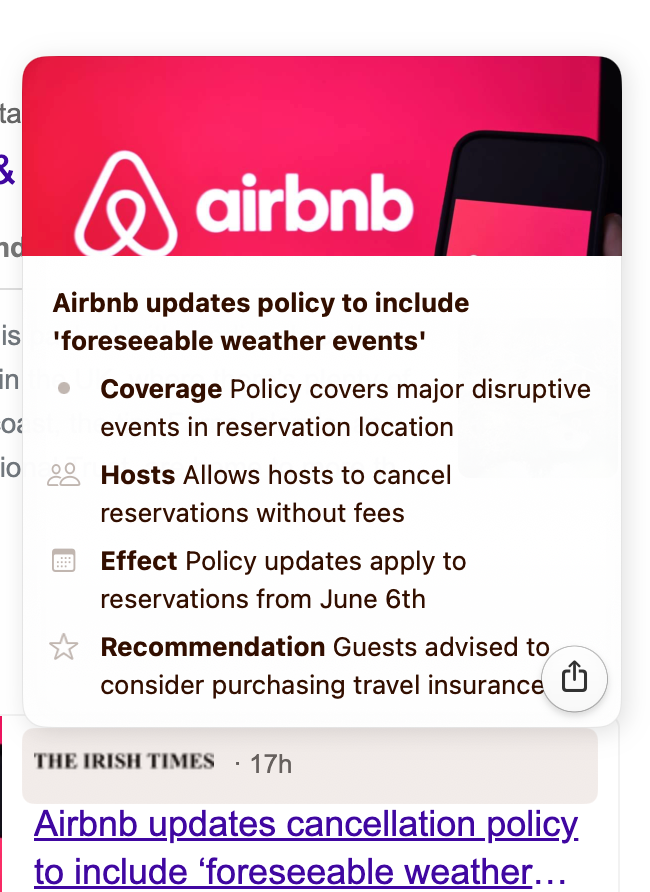
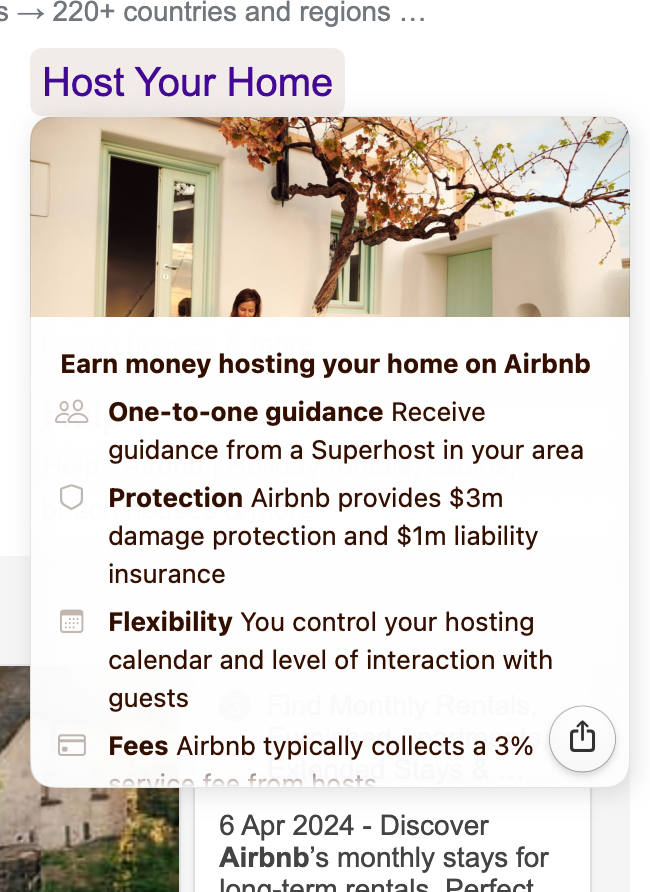
5-Second Previews or hoverCards are instant summaries when you hover over links in Arc; here, for a Google search of ‘airbnb’:
The LLM prompt:
As a concise and helpful summarizer, create a glanceable "answer card" containing the most important information from the webpage.
Provide a response using JSON, according to the `Response` schema:
interface Response {
blocked: boolean // Does this page ask for Javascript or a security check?
userQuestion: string? // 1-word question to focus the card; from the user's search: 'airbnb'
quickSummary: string? // 3-8 words beyond the title; a fact or opinion.
details: Detail[] // 2-4 key points, solutions or items.
}
interface Detail {
label: string // e.g. "Price:", "Story:", "Criticism:"
icon: string // SF Symbol, e.g. "fork.knife"
info: string // 5-10 words, extremely concise
}Then the page title, URL and markdown content, in made-up XML-style tags.
Typical response
{
    "blocked": false,
    "userQuestion": "cancellation policy",
    "quickSummary": "Airbnb updates policy to include 'foreseeable weather events'",
    "details": [
        {
            "label": "Coverage",
            "icon": "umbrella",
            "info": "Policy covers major disruptive events in reservation location"
        }
    ]
}
Key techniques
- Structured Output: JSON according to a Typescript interface.
- Contextual Prompting: The
userQuestionfield guidesquickSummaryanddetails. - Priority Ordering: JSON keys are ordered by priority, so the card streams top-to-bottom, left-to-right.
- Tag Block Context: Multi-line input often confuses LLMs; hierarchy through tags (even though made up) works well.
Tidy Tabs
By pressing a button, you can organise your open tabs into groups.
You are a meticulous expert organizer who follows instructions concisely.
I have some tabs! Group based on keywords in common, domain, website purpose, and referring tab.
For example, if these were my tabs:
```
google.com/0: nitehawk cinema - Google Search
amazon.com/0: Amazon: Amazing Deals on Home Goods, Gifts and More
google.com/1 toaster reviews wirecutter
```
You would output:[
["google.com/0", "Movies"],
["amazon.com/0", "Toaster Shopping"],
["google.com/1", "Toaster Shopping"]
]Here are my tabs, in the format 'id: title':
Your array of group assignments, as valid JSON within a ```code block```:Key techniques
- Examples: By far the most effective way to guide output; a stepping stone to evaluations and fine-tuning.
- Nuance is king: the example has different groups for the same domain, one-item groups, and subtle inferences.
- “Words in your mouth”: You can encourage LLMs to follow instructions by starting the response for them; they continue the sentence.
Costs 3
Arc Max runs on fine-tuned GPT-3.5 4 models behind a Vercel-hosted, OpenAI-style chat endpoint. Inference costs $3.00 / 1M input tokens and $6.00 / 1M output tokens, which implies around $0.004 per preview card 5.
With 170k Windows users, assuming a 5:1 Mac to Windows split and 3 hover cards per user per day, that amounts to about $350k per month just for “5-Second Previews”; that’s a serious expense!
Footnotes
-
Record network traffic with wireshark; the prompts are in the request bodies to open-ai-chat-omega.vercel.app. ↩
-
Arc is my daily driver and I’m a big fan. This is all in the network traffic - no decompilation required - not their “secret sauce”. ↩
-
Very rough napkin estimates; deals with OpenAI/Vercel or actual usage could differ wildly. ↩
-
Honestly, I’m a little baffled why GPT-3.5 is used here - a 7B open-source model would be more than enough at a 30x cost reduction. Likely iteration speed is a factor. ↩
-
Around 1k input tokens and 200 output tokens. ↩